


INSIDE SKYLEARNER Jet engine walkthrough
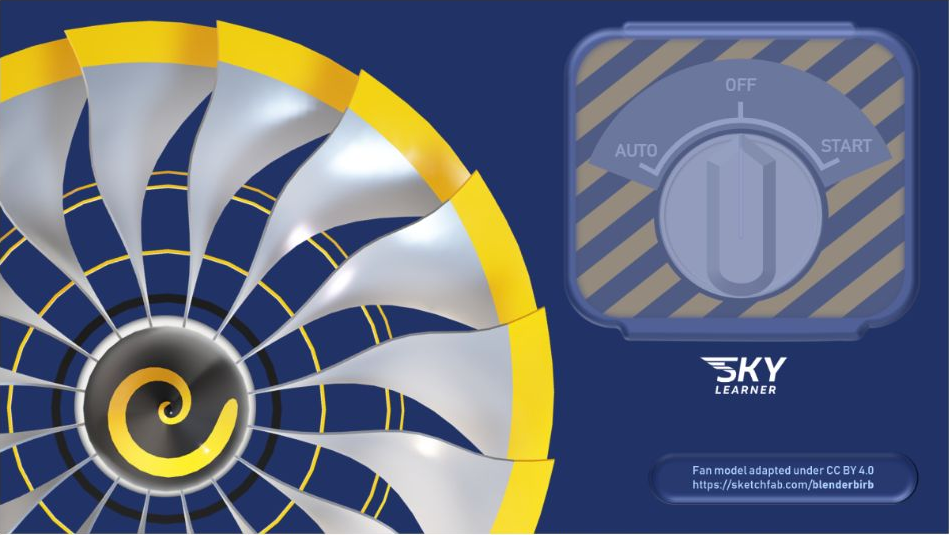
Look inside. Follow what happens.
Explore a turbine engine from its starting controls to the cutaway model. Visual learning gives the explanation something you can see.
Pilot theory has a lot of moving parts. Your learning system should help them fit together. Explore the lessons, explained questions and instructor support that make your next study session count.
Explore a turbine engine from its starting controls to the cutaway model. Visual learning gives the explanation something you can see.
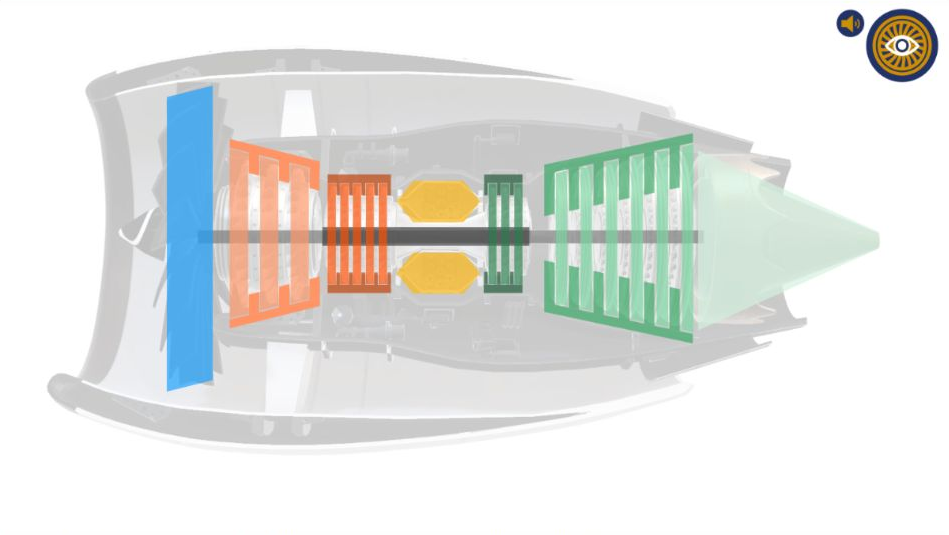
A view from inside the walkthrough shows the engine stages in context. Return to the part of the explanation that needs another look.
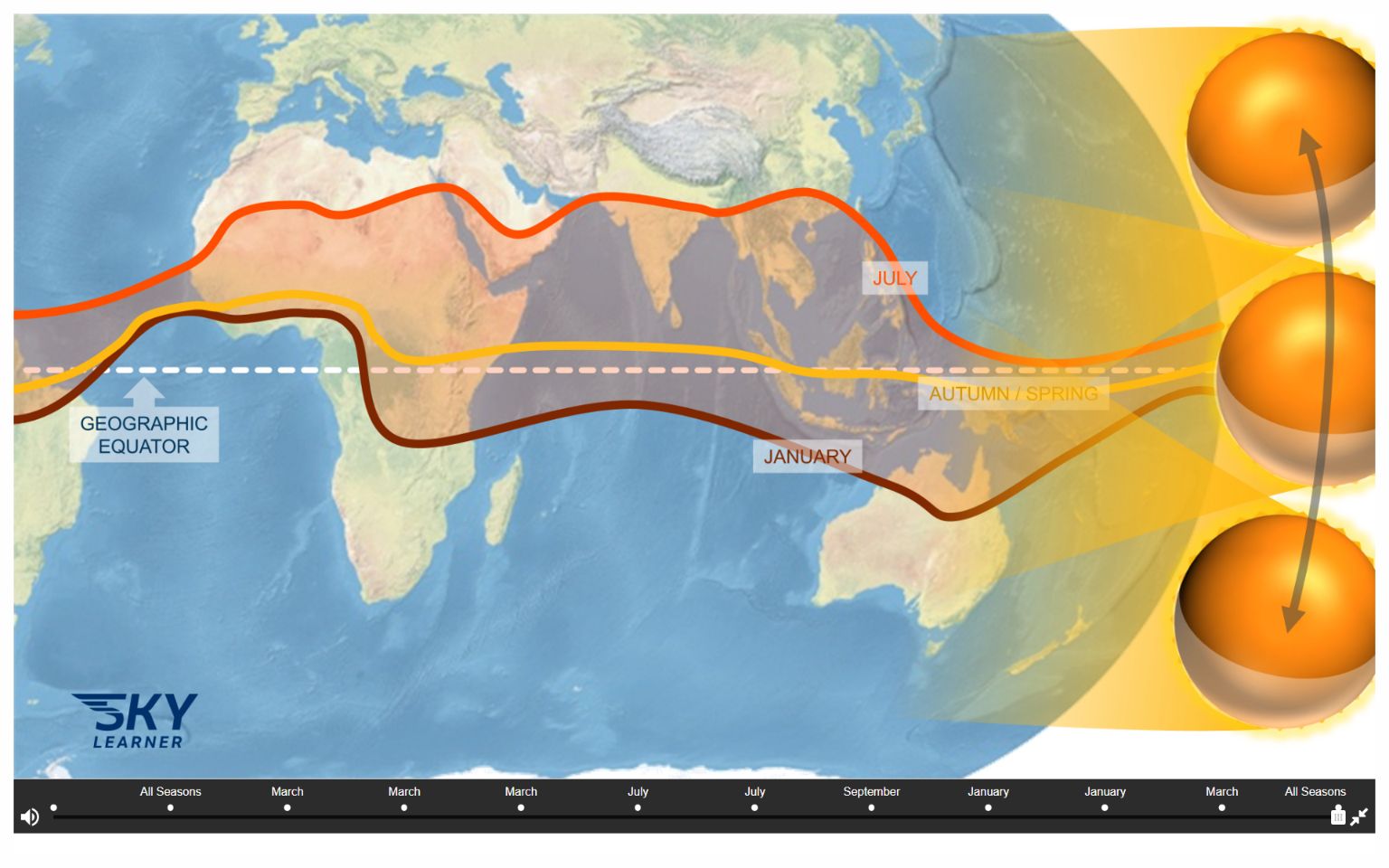
Step through a Meteorology interaction and explore how the picture changes. Take time over the stage that helps the idea click.
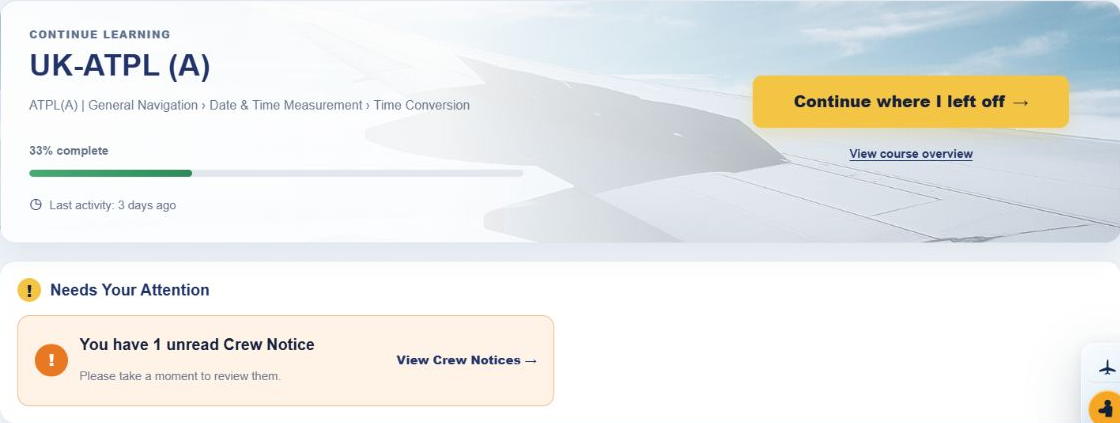
After a busy day, getting back into theory should feel straightforward. Your dashboard gives you a familiar place to start, with a route back to the topic you were studying and notices that need your attention.
Getting a question right is useful. Understanding the method gives you something to use on the next one. All our practice questions are CAA-style questions. Solutionbank keeps focused practice, explanations and your own revision tools together.
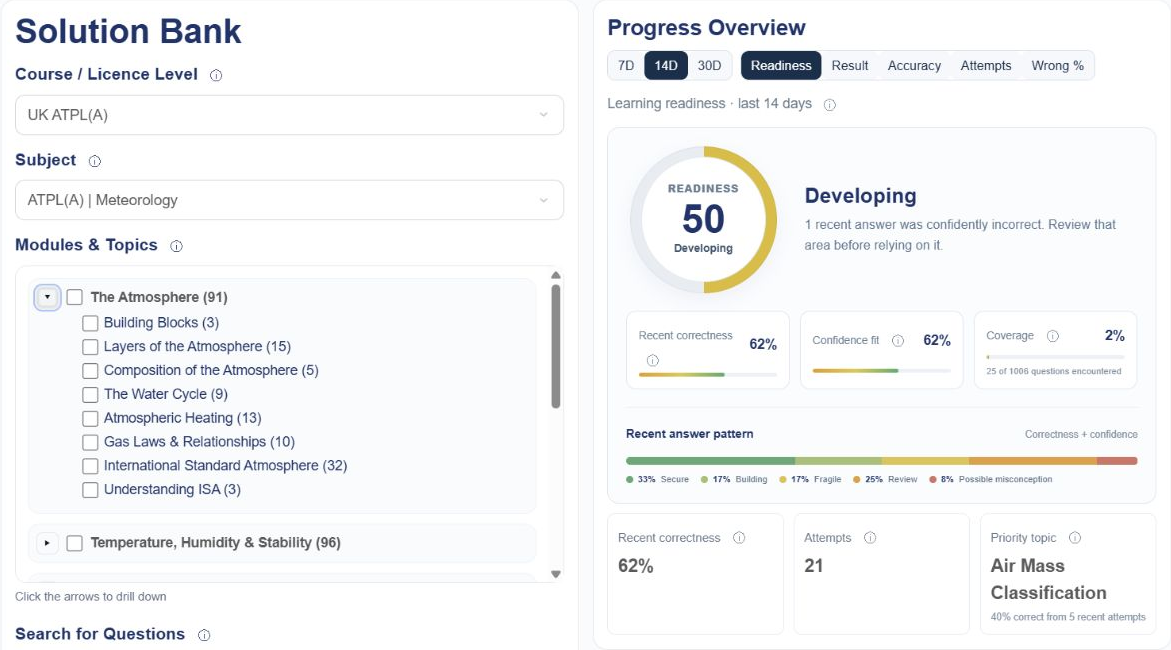
When one part of Meteorology needs work, build the session around that part. Expand a module and select the topics you want to practise.
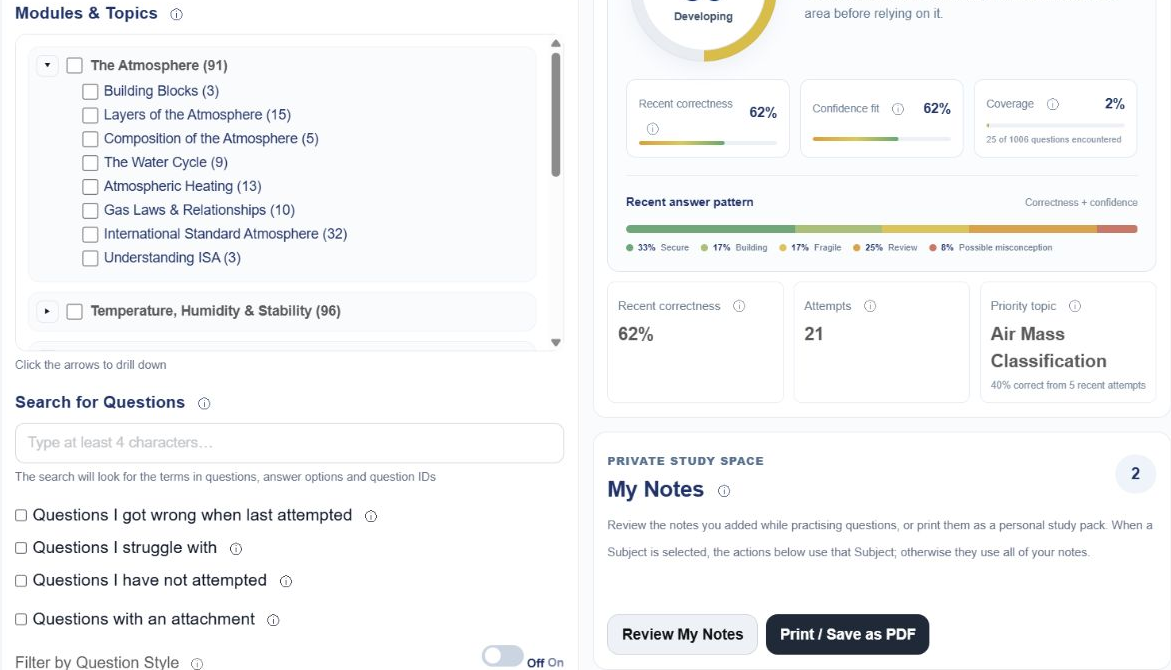
Repeating comfortable questions can feel productive. These filters help you return to difficult or unseen material and practise specific types of task.
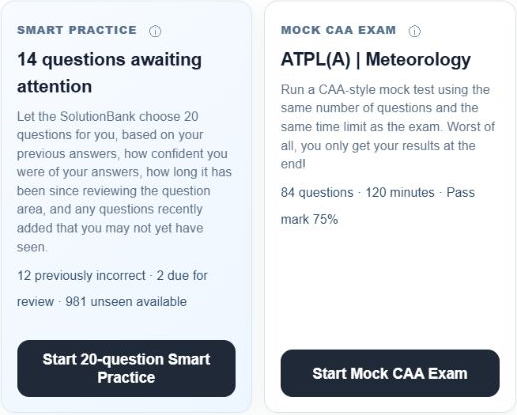
Some days you need help choosing what to revise. Other days you need to practise managing a whole exam. Use the mode that suits the stage you’re at.
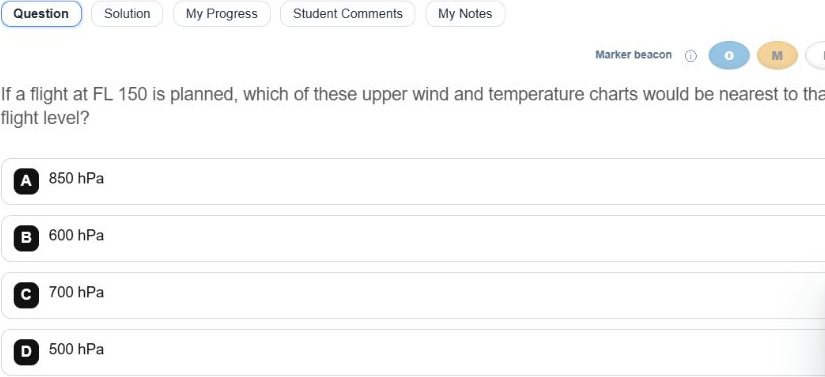
Work through a question with its learning tools close by. Move between the question, its solution, your progress, comments and personal notes.
Build your own question-note set as you practise. Save tips, tricks and reminders on individual questions, then print or save the collection as a personal study pack.
Two correct answers can mean different things. One might come from a method you understand. The other might be your best guess. Your confidence rating helps Solutionbank tell the difference.
Choose Not sure, Fairly sure or Certain. Solutionbank considers that rating alongside whether your answer was correct, helping My Progress and Smart Practice give you more useful guidance.
You answered correctly. How sure were you?
A correct guess can still need another look. Revisit the explanation so the method becomes more secure.
An illustration of why confidence matters. Your learning picture builds from your own practice.
Feeling certain and getting an answer wrong can point to a misunderstanding worth revisiting. Confidence and correctness together tell you more than a percentage alone.
An explanation can help you understand an answer. Sometimes you need to revisit the idea behind it. Solutionbank questions are mapped to the relevant course topics, connecting your revision to the learning material.

The connection works both ways: the Content to Question Bridge takes you from a lesson into question practice. Topic mapping helps you return from a question to the learning that supports it.
Found a way to remember a calculation? Spotted a wording trap? Add a note to the question while the explanation is fresh. Over time, those small reminders become a detailed question-note set you’ve built around the things you need to remember.
Use My Notes on a question to capture the tip, trick or step you want to remember next time.
Revisit your saved notes by subject, and use search or module / topic order to find the reminder you need.
Print or save your question notes as a PDF. Take a personal set of question explanations and reminders into your next revision session.
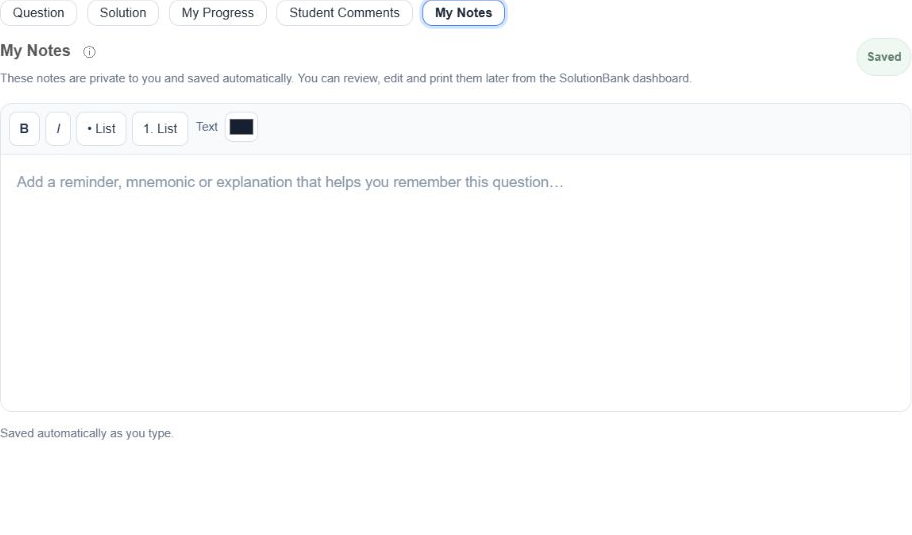
Write a tip, mnemonic or explanation on the question itself. Notes save automatically, so you can build your own reminders as you work through practice.
Bring those question notes together in My Notes, then print or save them as a PDF. Keep a detailed set of the answering tips and explanations you collected along the way.
Sometimes you need someone to talk it through. Video solutions give you another way to follow the explanation, with time to pause, think and go over the step you missed.
If a flight at FL 150 is planned, which upper wind and temperature chart is nearest to that flight level?
A real recorded Solutionbank explanationATPL Meteorology · Question 184190 · Video solution.
Many Solutionbank questions include video explanations. The solution format varies by question; ATPL Meteorology is one place you’ll find them.
Some ideas make more sense when you can see the parts, follow a change or explore a relationship. Our topics bring written explanations together with visual walkthroughs and interactive learning.
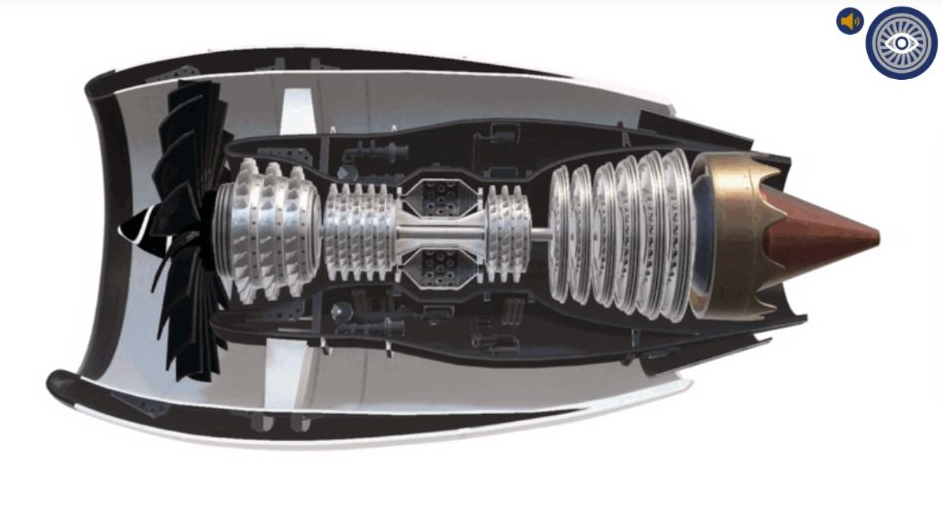
The jet engine walkthrough gives you a view inside the engine, helping you put the components and stages into context as you study The Turbine Concept.
This Meteorology H5P interaction brings the seasonal positions into one view. Move through its stages inside the course and revisit the relationship at your pace.
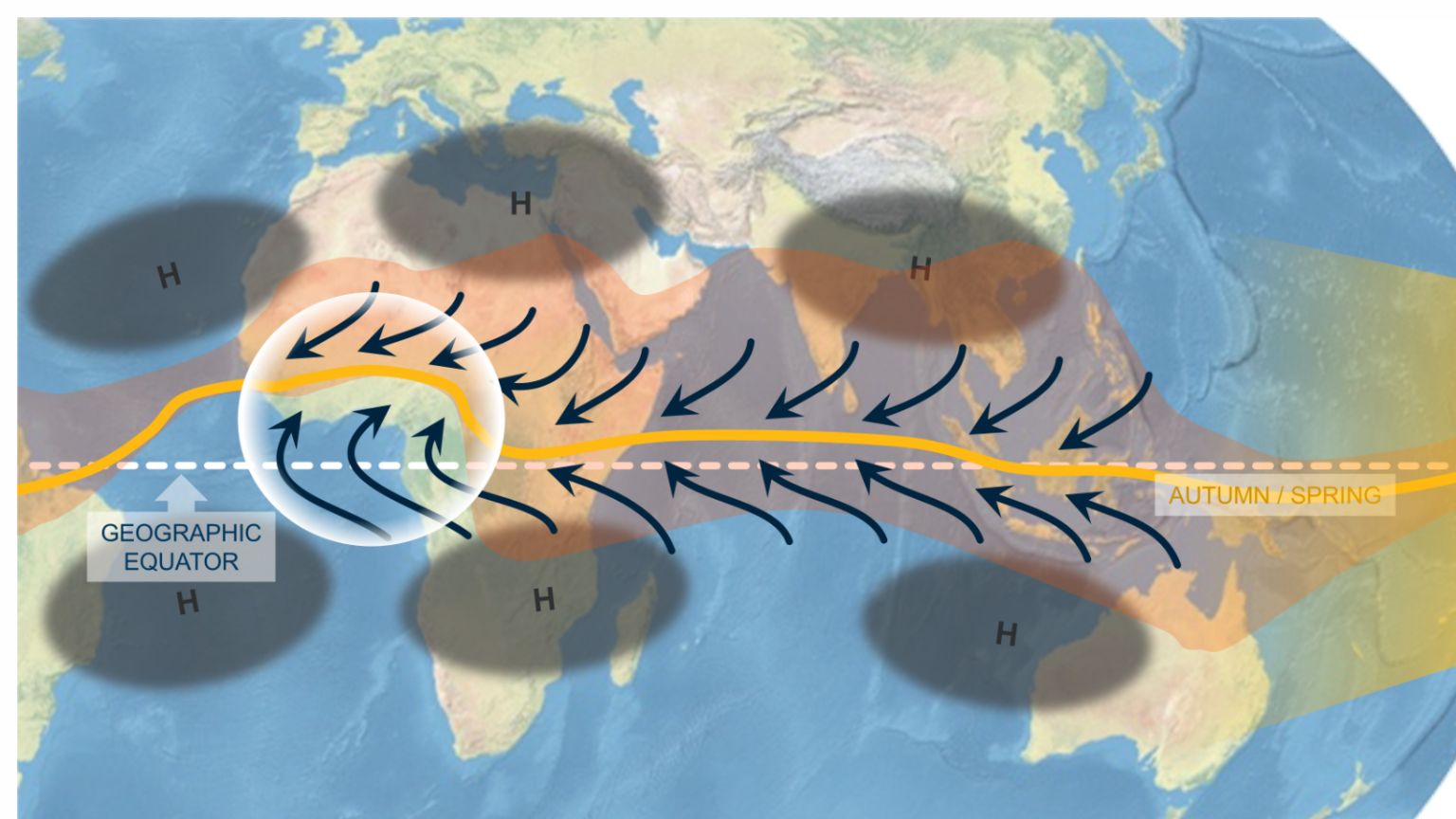
Another stage adds pressure and wind patterns to the picture. The interaction lets you work through the explanation in steps, rather than trying to take in every relationship at once.
Understanding the learning material is only half the battle. You also need to recognise how that knowledge is being asked for. The Content to Question Bridge marries the lesson to the way CAA-style questions are written, so the jump feels less mysterious.
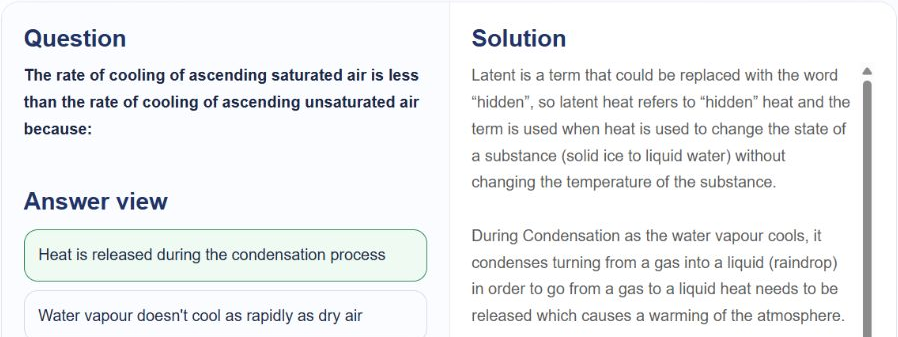
All our practice questions are CAA-style questions. The bridge helps you connect the concept, the wording and the method of answering.
A whole syllabus can feel like a mountain. Subjects, modules and topics turn it into a sequence you can work through, with planned topic study times to help you judge the session ahead.
A personal timetable gives your available study hours a purpose. See when you’re learning new material, revisiting a subject, attending knowledge checks and preparing for exam sittings, with breaks built into the plan.
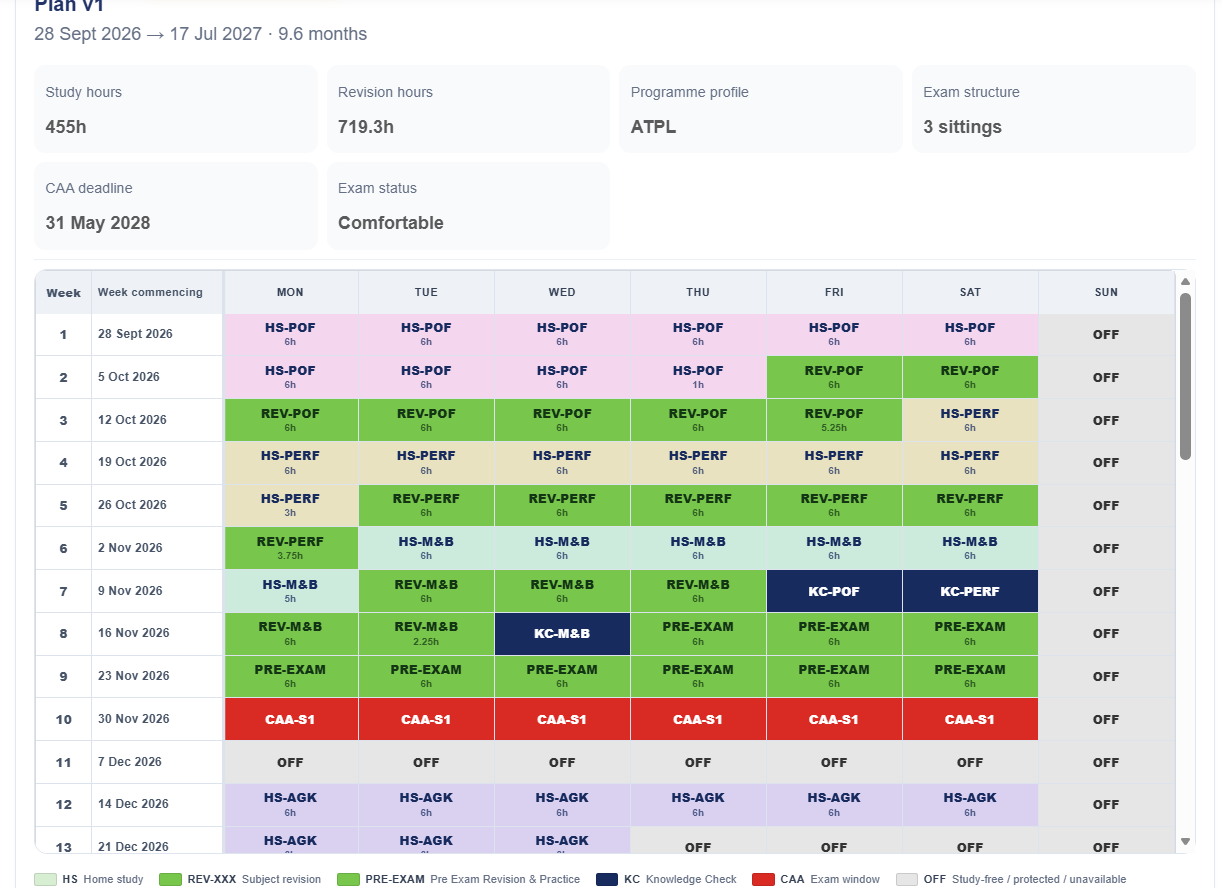
Personal study plans apply to CPL, IR and ATPL. We build yours around your available study hours and training arrangements; PPL students study at their own pace.
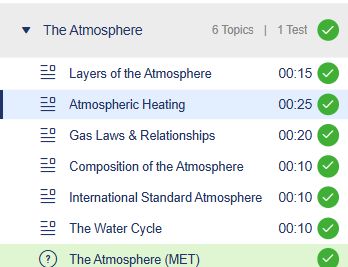
Finishing a topic and remembering it later are different challenges. The assessment structure checks your learning at different stages, helping you build towards the full subject.
“Did that module make sense?”
The End of Module Test (EOMT) checks your knowledge of the module you’ve just studied. Use it to spot misunderstandings while that module is still fresh.
“Can I still use what came before?”
The Cumulative Module Progress Test (CMPT) tests a selection of questions from all the modules you’ve covered so far. It checks that earlier learning is staying with you as you move through the subject.
“How does it feel as a full exam?”
The End of Subject Test (EOST) acts as a mock exam. It brings the full subject together under exam-style conditions, so you can practise before the official CAA exam.
Your course sets the assessment requirements. A practice score helps you decide what to review; your instructor-led knowledge check is a separate part of preparing for the exam.
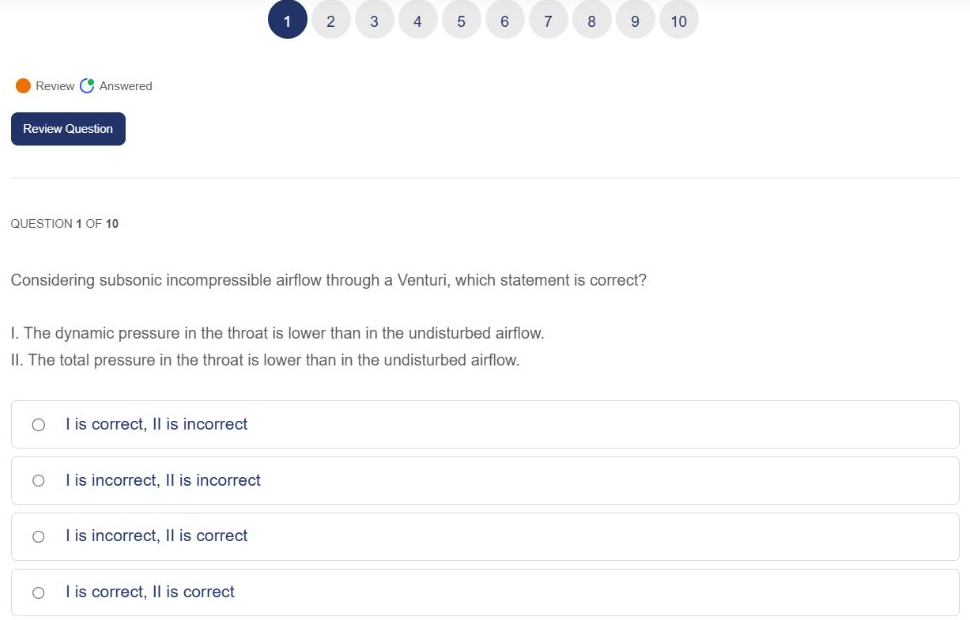
This is a real ATPL Principles of Flight CMPT, opened inside the course. Move between numbered questions and flag a question for review while you work through the test.
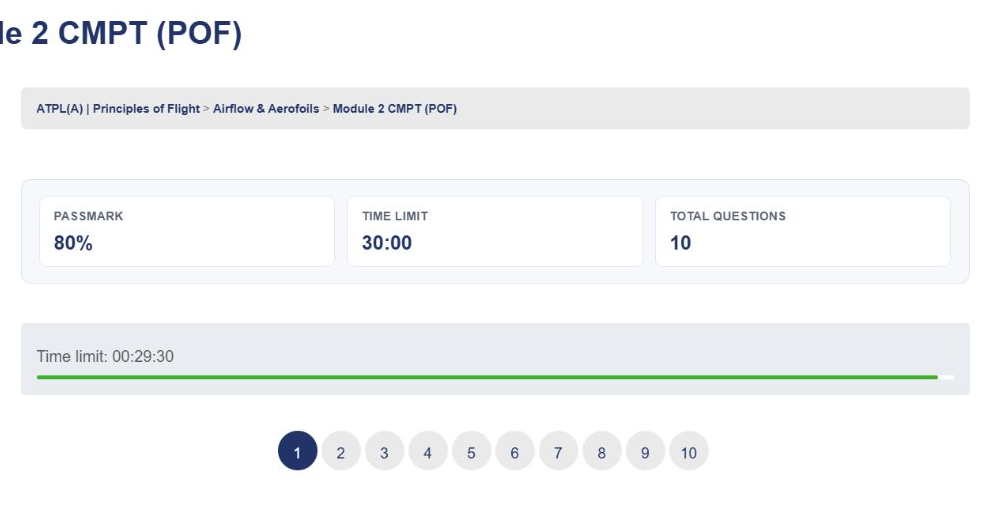
The test screen shows the pass mark, time limit and question count. This particular CMPT has 10 questions, a 30-minute limit and an 80% pass mark. Requirements vary by test.
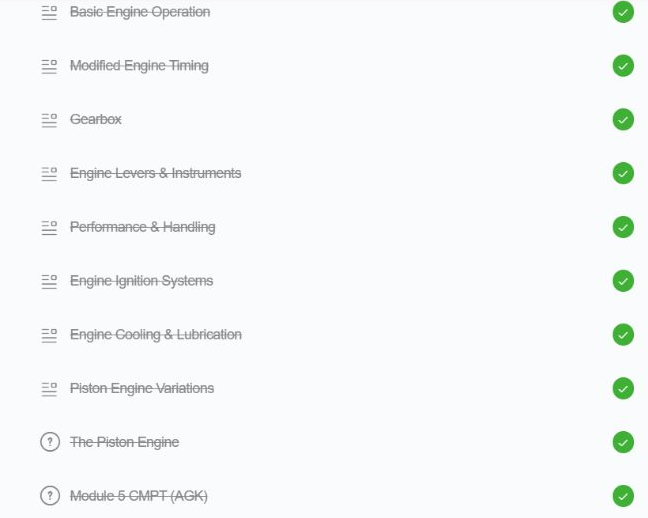
The EOMT checks the module you’ve just studied. The CMPT draws a selection from all modules covered so far, so earlier learning stays in the picture.
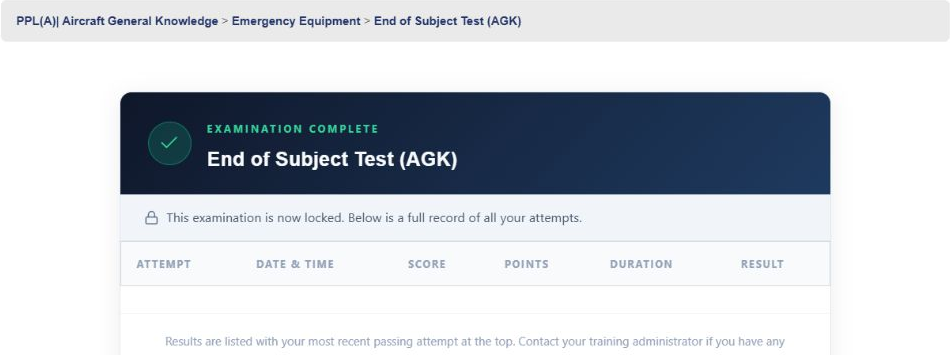
The EOST acts as a mock exam at the end of the subject. Practise applying your learning under exam-style conditions before the instructor knowledge check and official CAA exam.
The best time to ask is often the moment you get stuck. Open Cabin Call from the “Need a hand?” tool and explain the question without leaving your training.
Write your question, attach an image or file, or use the screenshot, voice-note and video options to show what you mean. You can also find your recent tickets in the same tool.
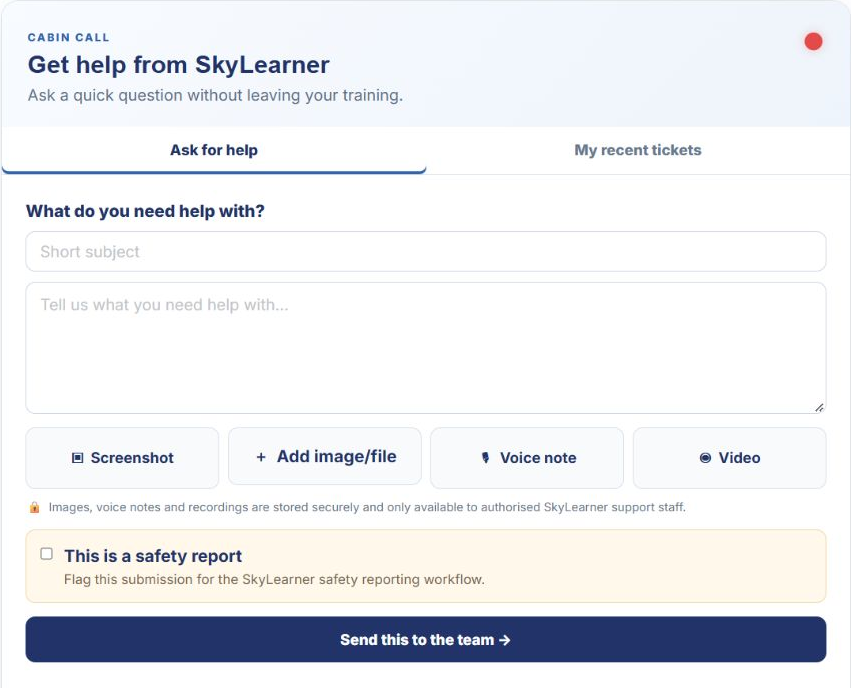
Perhaps you can follow the calculation until the last line. Perhaps two answers both look right. You don’t have to keep circling the same page on your own.
Send your question to the instructor helpdesk. Explain where you’re stuck, and get help with the reasoning you need to move forward.
It’s useful when you need more than the written solution, or when a concept needs explaining another way.
Each subject ends with a live instructor-led knowledge check. Bring your final questions, work through the subject and complete the course’s exam recommendation process.
PPL checks are one-hour group sessions on MS Teams. CPL and ATPL checks are full-day sessions; see your course page for the relevant arrangements.
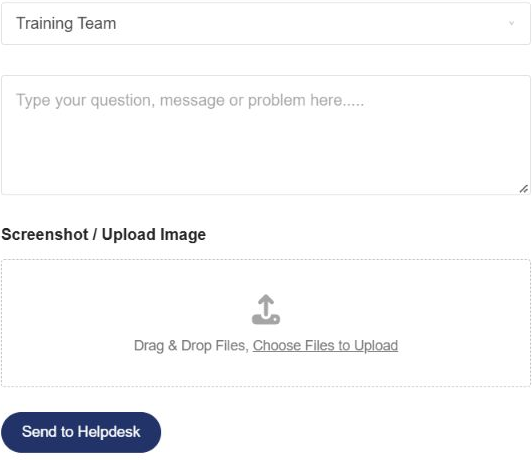
Choose the Training Team in the helpdesk form and describe the point you want explained. Attach an image when it helps show the calculation, question or topic you’re working on.
You can ask for help without leaving the difficult bit unexplained.
Training brings paperwork and milestones as well as topics. Your Student File brings course-related information into organised sections, so your records are part of the same training system.

Where a personalised plan applies to your course, find it within your Student File.
Use the reporting and training comments sections to review the information held for your training.
Find relevant training forms, certificates and other course records in their respective sections. What appears depends on your course and training stage.
Use the booking system to arrange relevant instructor sessions and knowledge checks around the available dates. Your course explains what’s included and which sessions are optional extras.
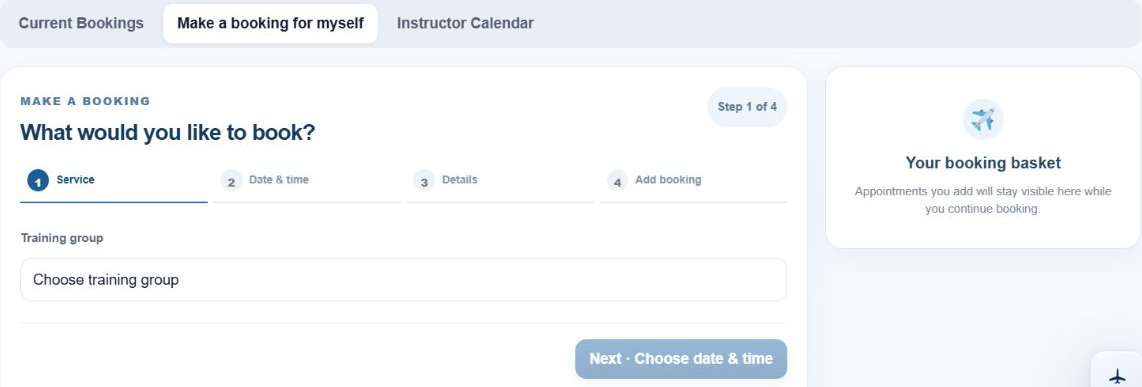
Premium one-to-one tuition is also available by the hour. Instructor bookings and official CAA exam bookings are separate.
SkyLearner provides online pilot theory courses with learning material, practice questions, progress assessments and instructor support. Solutionbank is one part of that system. Choose the PPL, CPL, IR or ATPL course for the licence you’re working towards.
It connects the material in a topic to exam-style questions. Work through examples, reveal their explanations and then try practice questions. It helps you see how the concept you’ve just studied may be examined.
Many questions have recorded video explanations. Written explanations also help you understand the reasoning. The available format depends on the question.
Progress tests check your learning as you work through the material. A knowledge check is a live session with an instructor before the official exam. The format and completion requirements depend on your course.
PPL students study at their own pace within their access period. On CPL, IR and ATPL, an onboarding call helps build a personal timetable around your available weekly study hours.
The courses share the same guided approach, with interactive learning, practice and instructor support. Subject content, schedules, assessment requirements, knowledge check formats and access periods depend on the course. Each course page explains the details.
Send your question to the instructor helpdesk. If you want dedicated time to work through a topic, premium one-to-one tuition is also available to book.
From your first licence to professional theory, explore the subjects, support and study arrangements for your route.
Your first pilot licence, with guided online theory and instructor support.
Explore PPL theory →CPLFor PPL holders preparing to fly for a living.
Explore CPL theory →IRThe theory behind your instrument rating.
Explore IR theory →ATPLThe airline theory route, with a personal study timetable.
Explore ATPL theory →Make a cup of tea, take a look at your course, and see how the learning fits together. Questions first? We’re happy to talk them through.
Please confirm you want to block this member.
You will no longer be able to:
Please note: This action will also remove this member from your connections and send a report to the site admin. Please allow a few minutes for this process to complete.
 PPL
PPL CPL
CPL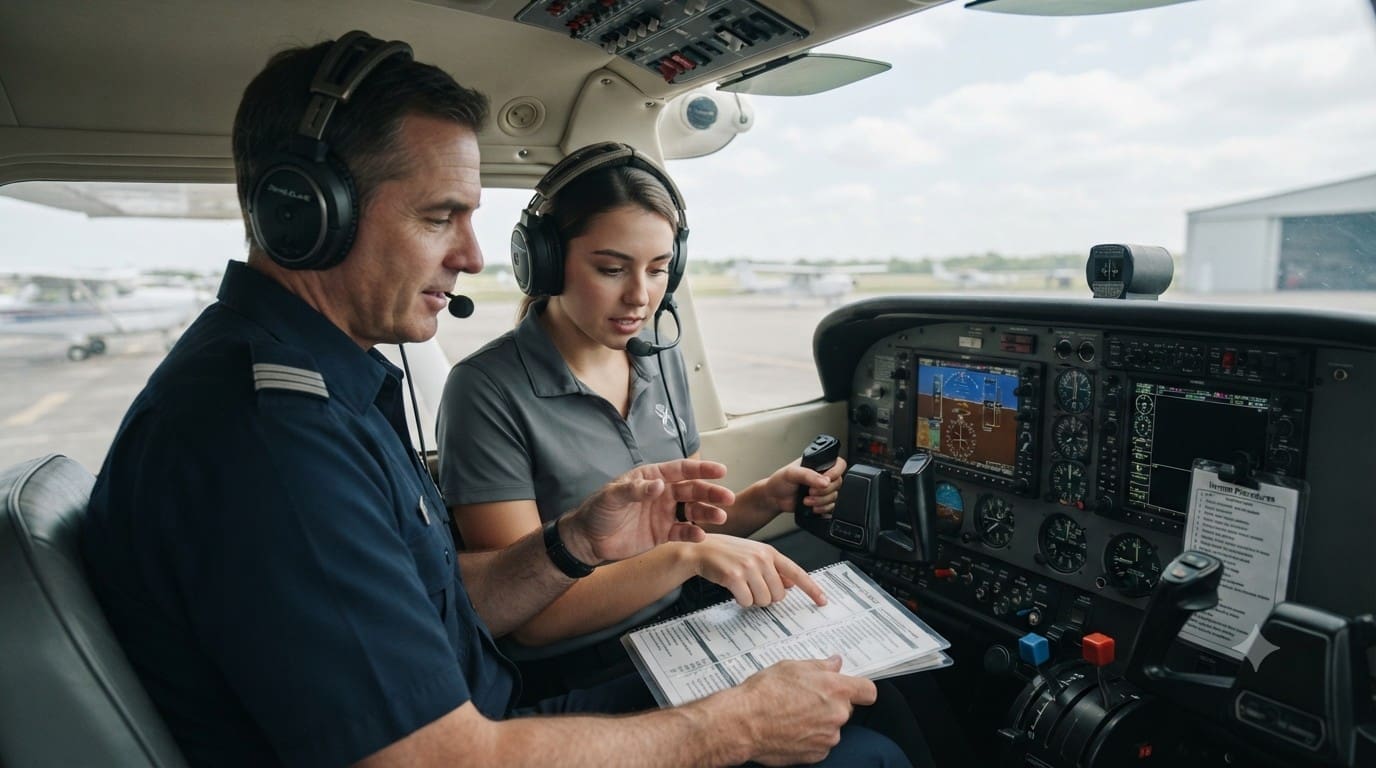 IR
IR ATPL
ATPL